Changelog

Follow new updates and improvements to FundEasy.

July 21st, 2026

This release focuses on improving visibility and streamlining day-to-day workflows for event hosts and administrators. Here are some of the things we’ve completed in this release:

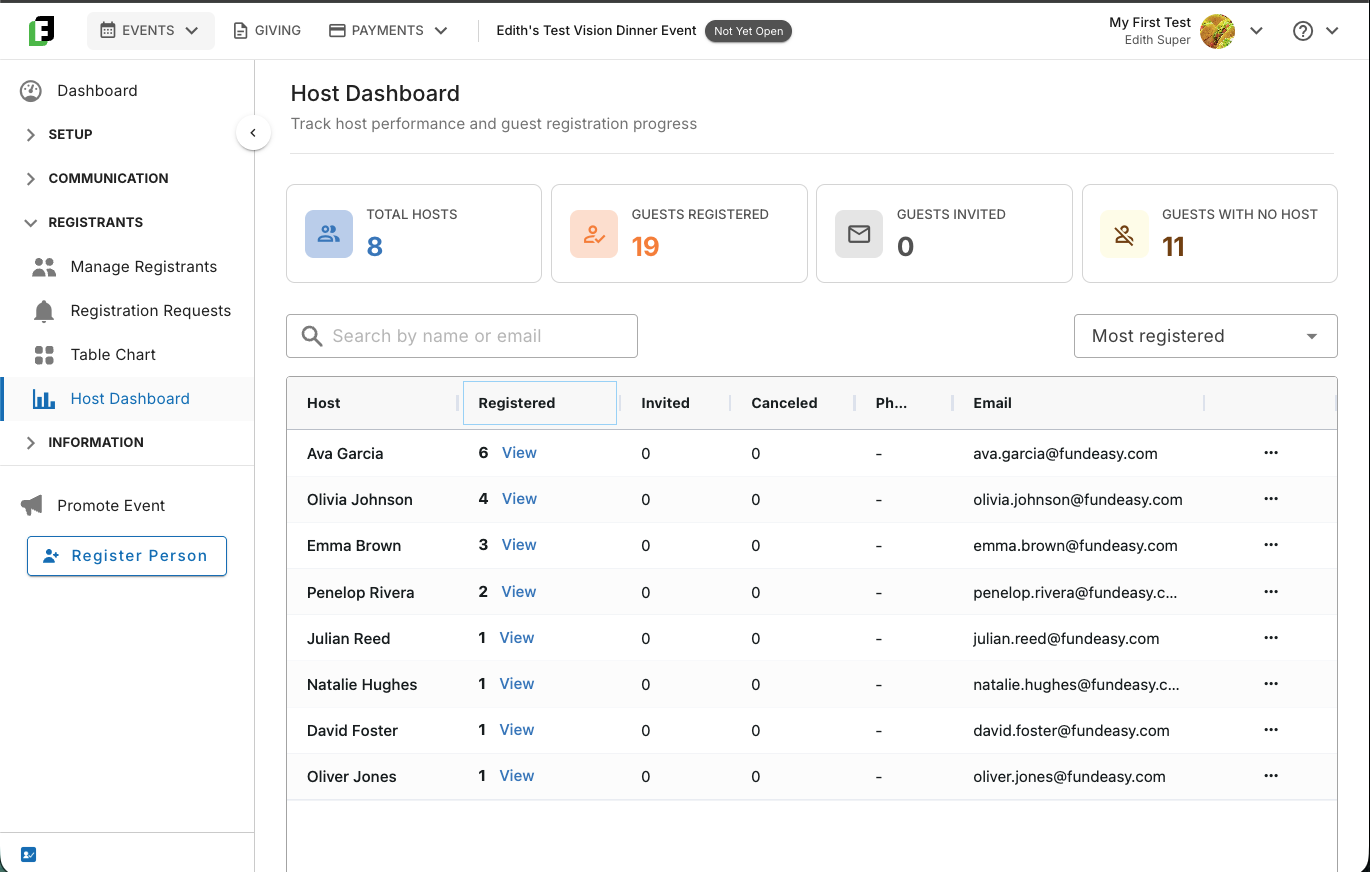
  • introduced a new Host Dashboard to Vision Dinner Events, allowing event coordinators to easily track the progress of their Vision Dinner table hosts

  • expanded visibility into sent email recipients

  • enhanced the amount of payment metadata shared between FundEasy and Stripe

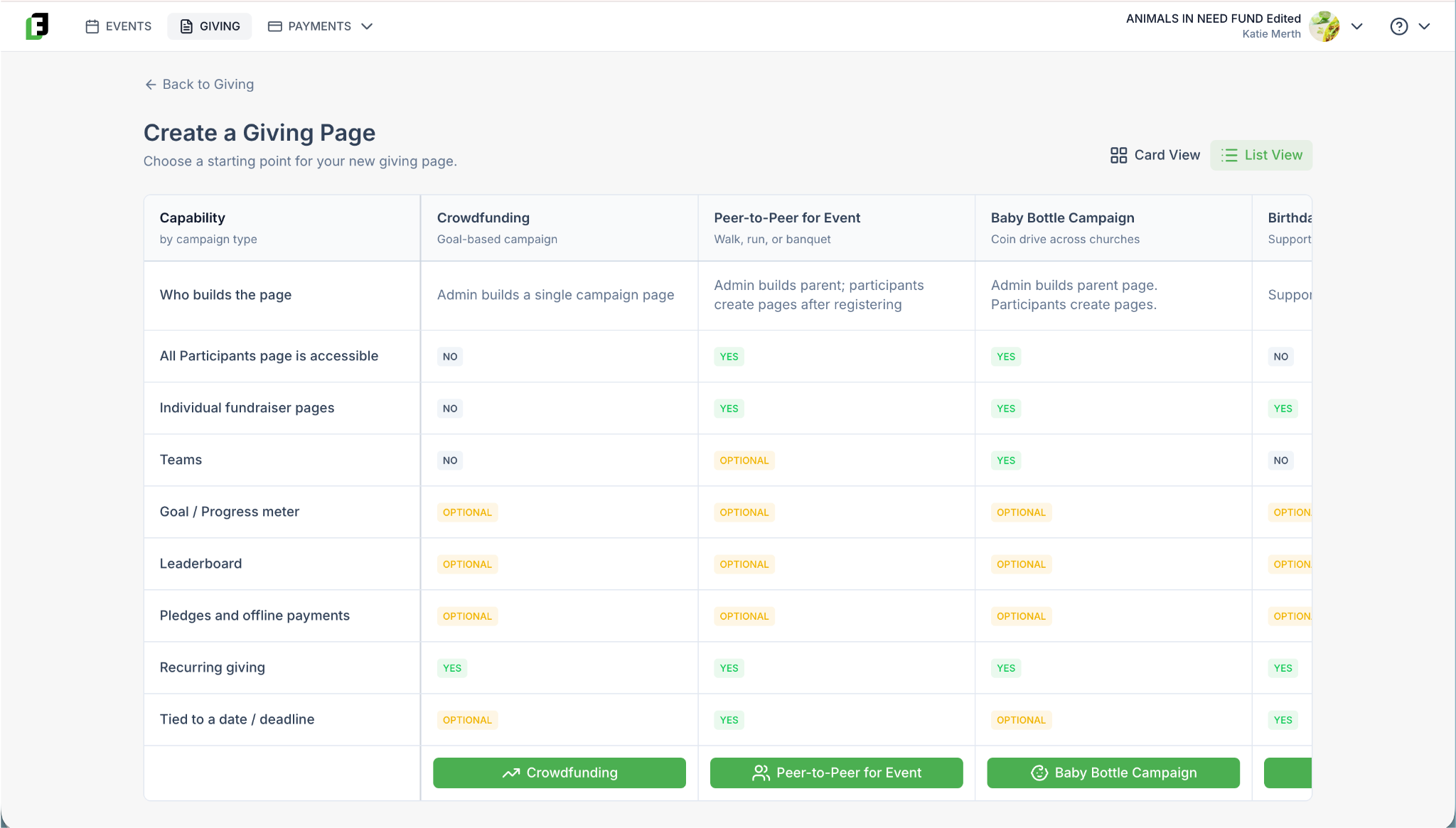
  • introduced new Giving Page templates for Baby Bottle Campaigns and Birthday Fundraisers

We also resolved several bugs across events, peer-to-peer fundraising, and organization management to make the platform even more reliable.

Vision Dinner: Table Host Metric Dashboard

Admins now have a dedicated metrics dashboard for monitoring their table hosts. This dashboard provides an at-a-glance view of each host's progress, making it easier for event coordinators to identify hosts who may need additional support to keep the event on track.

Sent Emails: View Recipients

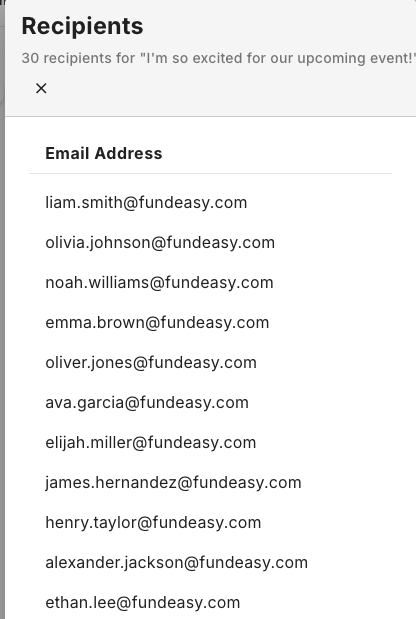
We've added the ability for admins to view the list of recipients for any email sent through the Send Email > Compose tool. After your message is sent, you can return to Send Email > Sent Emails, click the chevron menu next to any sent message, and click View Recipients to see exactly whom it was sent to. This makes it easy to confirm your recipient list and keep track of your communications.

Stripe Payment Metadata

Additional payment metadata is now passed along to Stripe with every transaction. This means when a disputed charge comes in, your team can quickly identify the associated donor and transaction context directly in Stripe, rather than cross-referencing manually.

NEW Giving Templates: Baby Bottle Campaigns, Birthday Fundraiser

FundEasy now supports two new fundraising campaign templates that extend fundraising beyond the existing, event-based campaigns. Each template comes preconfigured with recommended goals, messaging, donation options, and participant settings, allowing organizations to launch a campaign in minutes without configuring every option manually. These campaigns can run independently of events, giving organizations more flexibility in how they engage supporters.

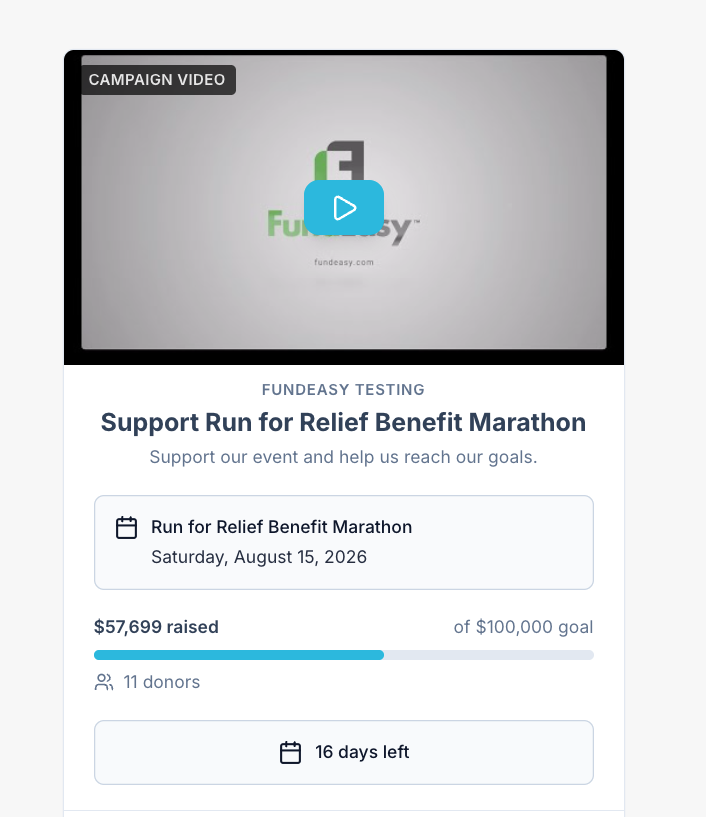
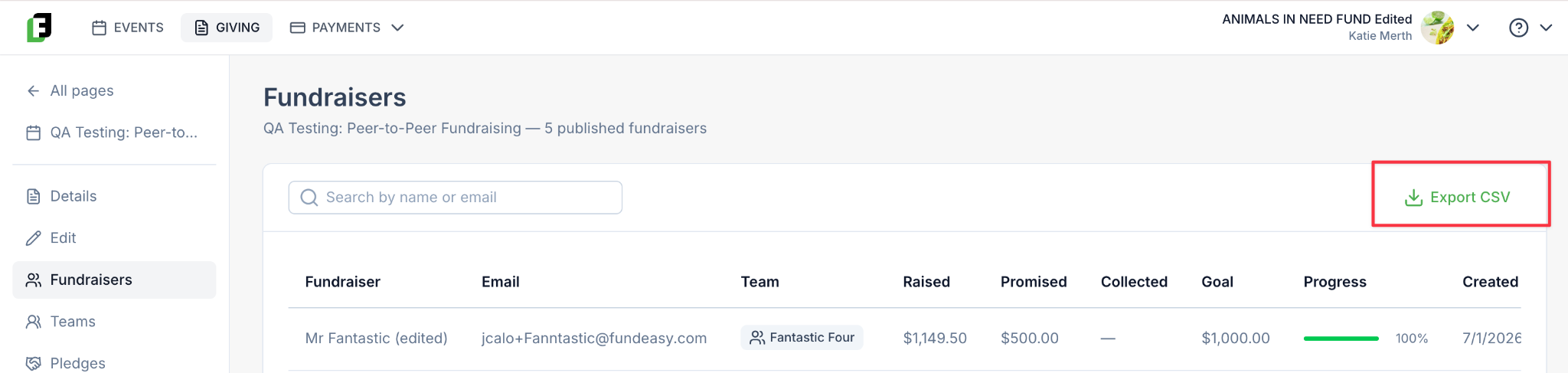
Baby Bottle Campaigns are designed for team-based fundraising, allowing churches, businesses, schools, or community groups to recruit participants under a shared fundraising goal. These campaigns use FundEasy's Peer-to-Peer model, enabling individual participants to create their own fundraising pages beneath the main campaign.

Birthday Fundraisers are built for individuals who want to raise money in place of receiving gifts. Unlike Peer-to-Peer campaigns, Birthday Fundraisers do not include teams or leaderboards, providing a simple, personal fundraising experience.

“Invite Participants” Feature

To support participant recruitment, every Peer-to-Peer Giving Page now includes a new Invite Participants action.

Admins can send supporters a magic-link email that takes them directly to the Create Your Fundraising Page flow, making it easier to recruit fundraisers. Participants can also invite friends and family to join their team directly from the Participant Portal, with invitation messaging that automatically adapts based on whether the campaign is associated with an event or is a standalone fundraiser.

Miscellaneous Bug Fixes and Improvements

  • Custom Questions: Now display consistently in Manage Registrants > Edit Registration, even if the guest did not initially answer the question OR the question was added after that specific individual registered.

  • Table Chart Seating for Pending Guests: Fixed a breaking issue where seating failed for groups with pending guests in non-Vision Dinner events.

  • Group Host Manager "Fill in Details" Error: Resolved a force-logout bug when table hosts filled in guest details.

  • "Invite People to My Team" Link: Team invite links now include the complete URL.

  • Email Link Preview in Group Host Manager: Preview now works when accessed via email link.

  • P2P Team Search Message: Updated messaging now explains that a requested team does not yet exist.

  • Logo Upload Display: Logos now correctly appear on the Organization Info page after upload.

July 8th, 2026

This sprint is all about making everyday event management faster and giving you a few highly requested tools along the way. Whether you're organizing registrations, managing seating, running a Peer-to-Peer fundraiser, or connecting FundEasy with other platforms, there are several new improvements to explore.

Better Ways to Manage Your Events

Your event list just became much more flexible.

You can now duplicate an event to use an existing event as the starting point for a new one, saving time when you're planning recurring events.

We've also added the ability to archive events that are complete. Archived events stay available for historical reporting without cluttering your active event list.

And if you created an event you no longer need, you can now delete it entirely as long as there is no registration data in that event.

Peer-to-Peer Teams Have Arrived

One of our biggest additions this sprint is Peer-to-Peer Teams.

Participants can now fundraise together as part of a team while still tracking their individual fundraising efforts. It's a great option for schools, businesses, churches, families, or any group that wants to work toward a shared goal while celebrating individual contributions along the way.

To learn more about enabling and managing teams, make sure to check out our Knowledge Base content here: https://helpcenter.fundeasy.com/articles/6157787-using-teams-in-a-peer-to-peer-event

Connect FundEasy with Centerpiece eKyros

Organizations using Centerpiece eKyros can now generate an API key directly within FundEasy, making it easier than ever to connect the two systems.

Instead of submitting a support request and waiting for assistance, you can now generate your API key securely in just a few clicks—getting your integration up and running faster.

Small Improvements That Make a Big Difference

This release also includes several quality-of-life improvements throughout the platform:

  • Multi-day events can now accurately display their dates and times.

  • In Vision Dinner events, you can now resend the Host Instructions email whenever a host needs another copy.

  • In Vision Dinner events, Guests who haven't been assigned to a host now appear in the Group By: Host view, making it easier to spot registrations that still need attention.

  • The Tables & Seating page now displays your Guest List tags, giving you additional context while organizing your event.

  • Event coordinator notifications now include the event name, making it much easier to identify which event each notification is referring to.

June 23rd, 2026

We're excited to share a major update focused on making event registration easier to understand, easier to manage, and more flexible for a wider variety of fundraising events. This release includes a brand-new event template, significant improvements to host and guest management workflows, long-requested email customization capabilities, a new payouts dashboard, and several usability enhancements based directly on customer feedback.

Introducing the Vision Dinner Template

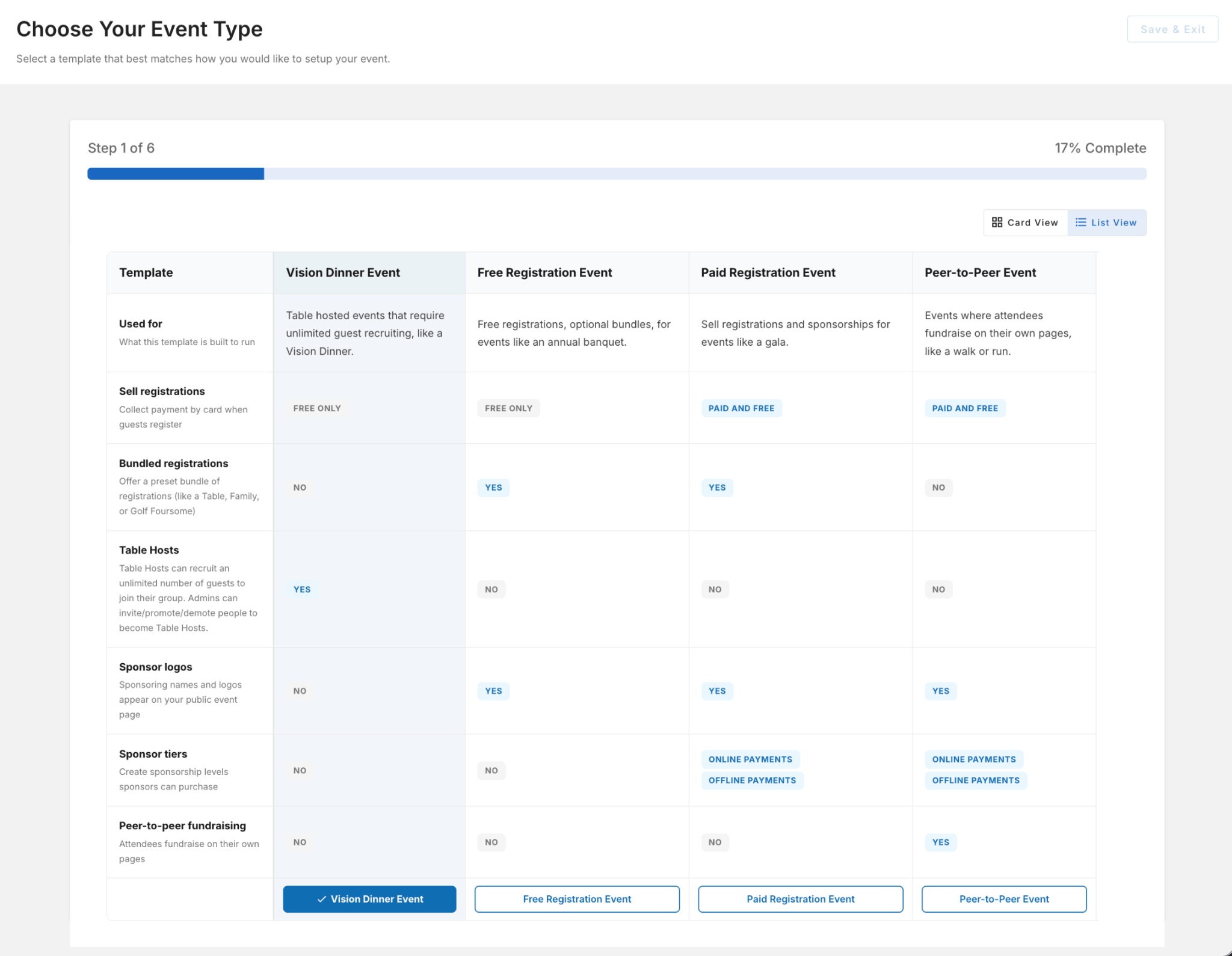
One of the largest enhancements in this release is the introduction of the new Vision Dinner event template.

Vision Dinner events are designed around a relationship-driven fundraising model where hosts invite guests to attend, but without the constraints of predefined ticket bundles, table sizes, or fixed guest counts. The result is a more flexible and streamlined RSVP experience for both organizers and attendees.

Key capabilities include:

  • Frictionless RSVP workflows with no predefined guest quantity requirements.

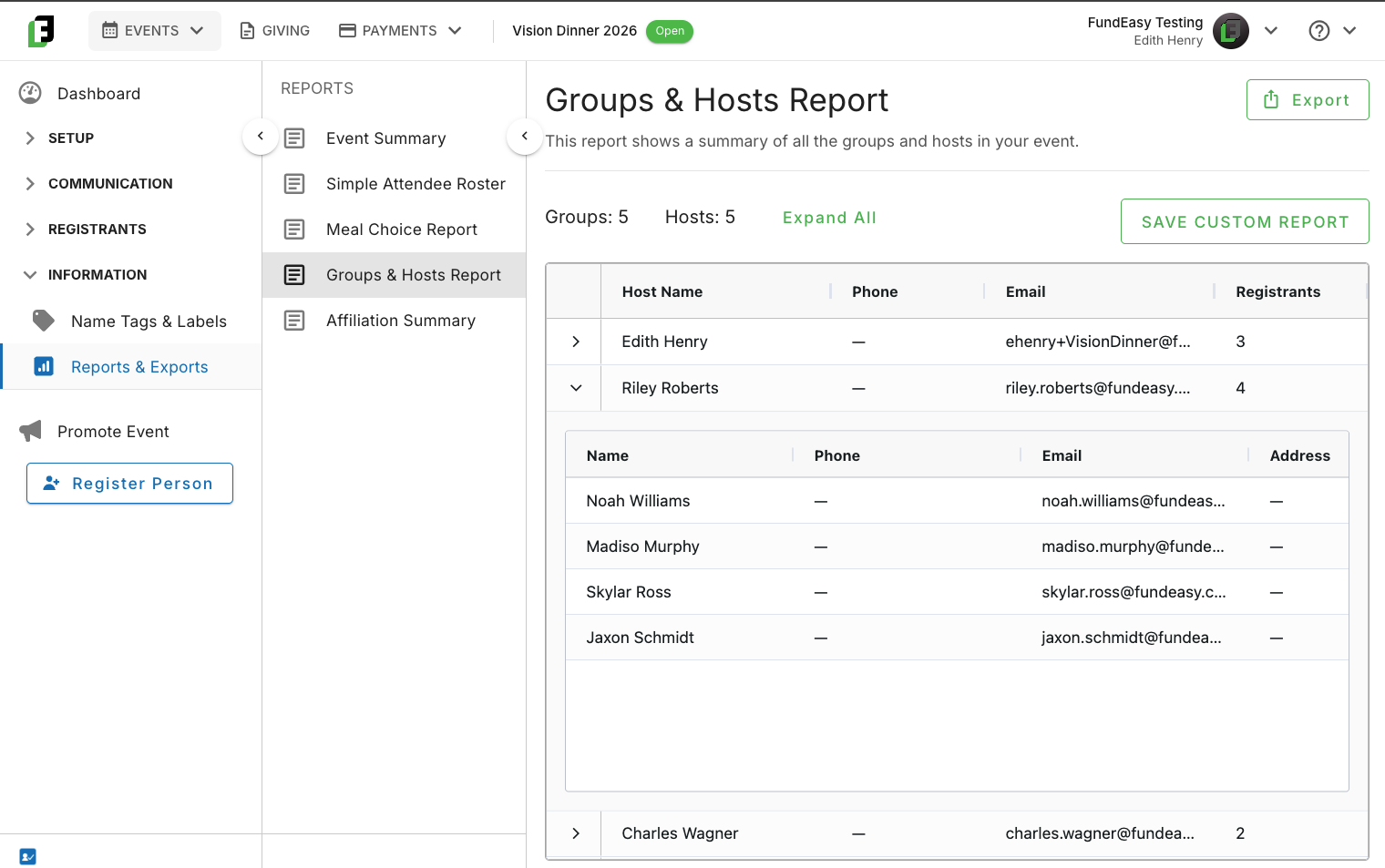
  • Admin-managed hosts who can be designated by staff and then register additional guests.

  • Flexible host and guest management without requiring ticket packages such as tables or bundles.

  • A new 🎉 Promote to Host 🎉 action that allows administrators to convert an existing guest registration into a host registration.

  • A new 🎉 Demote Host 🎉 workflow that allows hosts who can no longer attend to be converted back to guests while preserving continuity for their guest lists.

  • A new 🎉 Select Host Name 🎉 dropdown that allows guests to choose the host they wish to be associated with during registration.

These enhancements create a purpose-built experience for organizations running invitation-focused events where relationship building and attendance growth are more important than managing fixed ticket inventories.

Clearer Boundaries for All Other Event Templates 🎉

Alongside the introduction of Vision Dinner, we've standardized host and registration workflows across all other event templates.

Historically, some event configurations allowed organizations to mix invitation-style hosting features with bundle-based ticket management, which created confusion for both hosts and administrators. Based on customer feedback, we've clarified these experiences and aligned each event type with its intended registration model.

For all non–Vision Dinner templates:

  • Host and invitation functionality is only available when explicitly supported by a reserved/purchased ticket package, such as a table sponsorship or bundled ticket purchase.

  • The Select Host Name dropdown is no longer available.

  • Hosts may either:

    • Register guests directly from their purchased allocation, or

    • Distribute prepaid registration links or tickets for attendees to complete themselves.

  • Promote to Host and Demote Host functionality are not available, since those options are not relevant to a clearly defined reservation.

  • Bundle ownership and ticket allocation integrity are maintained through controlled workflows designed around the original purchase.

At the same time, we've enhanced bundle-based events with additional management tools that customers have been requesting:

  • New Reassign functionality for moving registrations when needed. 🎉

  • New Resend functionality for quickly resending registration and host-related communications. 🎉

These updates make bundle-based events easier to manage while maintaining the structure required to preserve ticket ownership and reporting accuracy.

***Existing (In-Flight) Table Host Events Will Not Be Affected***

These changes are forward-facing only. Events that have already been created or are currently underway will continue to operate using their existing configuration and workflows. Organizations do not need to make changes to active events, and registrants will not experience unexpected changes to events already in progress. However, if you only just started setting up your event and you want to switch to the more appropriate template, go for it!

🎉🎉🎉 Email Template Customization Has Arrived!!! 🎉🎉🎉

One of our most-requested enhancements is now available.

Organizations can now customize portions of key event communication templates, giving teams greater control over how they communicate with attendees and hosts.

The current editable templates include:

  • Guest Confirmation Email

  • Host Instructions Email

While certain system-generated content remains fixed, organizations can now replace default messaging with language tailored to their event, audience, and brand voice.

This enhancement allows event communications to feel more personal, more aligned with organizational messaging, and more consistent with the overall attendee experience.

Faster Registration with Copy from Primary

We've added a new Copy from Primary feature to make multi-person registrations significantly faster.

When registering multiple attendees on the same order, users can now copy information from the primary registrant into additional registrations with a single click. The guest name remains unique, while other information is automatically pre-filled and can still be edited as needed.

This enhancement reduces repetitive data entry and creates a smoother experience for families, groups, and organizations registering multiple attendees at once.

New Payouts Dashboard

Organizations now have access to a new Payouts Dashboard that provides greater visibility into payout activity and transaction reconciliation.

The dashboard makes it easier to:

  • View payout history.

  • Connect payouts to associated transactions.

  • Understand how deposits correspond to event revenue.

This feature is especially valuable for organizations utilizing scheduled payouts, where multiple transactions may be grouped into a single payout.

Offline Transactions for Giving Pages

Offline Transactions lets you record donations received outside the payment processor, including cash, check, and wire gifts, so that every gift has a home in FundEasy. Admins can add an offline transaction to a new or existing contact, optionally associate it with a Giving Page or Peer-to-Peer participant, and edit or cancel it later as needed. Once recorded, offline gifts are reflected in page totals, Peer-to-Peer leaderboards, and reporting just like online donations, keeping campaign numbers and contact giving history complete. This first release focuses on the core add, edit, and cancel workflow and lays the foundation for broader offline giving capabilities in future updates.

Built from Customer Feedback

Many of the improvements in this release originated directly from customer feedback.

Customers asked for clearer distinctions between invitation-based events and bundle-based events, more flexible host management, easier registration workflows, greater visibility into payouts, and more control over event communications. This release delivers on those requests while laying the foundation for future enhancements across the event management experience.

We're excited to continue building on these improvements and look forward to hearing your feedback.

June 9th, 2026

We've been hard at work delivering new features and refinements across the platform to help make managing events, guests, and fundraising efforts even easier. This release includes another round of enhancements to Tables & Seating, expanded pricing options for Pay-to-Attend Events, improved transaction reporting, new pledge management capabilities, and several usability and security improvements throughout the system.

Tables & Seating:

We’ve made some key improvements to Tables & Seating! Here are some of the highlights:

  • Easily see which groups and parties have already been assigned to a table, eliminating guesswork and streamlining the seating workflow.

  • Seating a host group now includes additional safeguards and workflows to help prevent conflicts with existing party assignments.

  • The guest list now clearly indicates when a guest belongs to a party or group. Assignments can still be overridden when needed, but accidental changes are much less likely.

  • Table selection is now synchronized between views—highlighting a table card will highlight the corresponding table on the floor layout, and selecting a table on the floor layout will highlight its table card.

Early Bird, Late Registration Pricing Options for Pay-to-Attend Events

Pay-to-Attend Events now support Early Bird and Late Registration pricing in addition to promo codes. Simply set your pricing tiers and schedule the dates when each should take effect, and the platform will automatically update registration pricing at the appropriate times. This makes it easier to manage time-based pricing while ensuring guests always see the correct registration cost.

NEW Pledge Management Capabilities for Peer-to-Peer Fundraisers

Organizations can now track donor commitments directly within FundEasy using our new Pledges feature. Designed especially for Peer-to-Peer fundraising campaigns, pledges allow participants and administrators to record, manage, and monitor promised donations alongside processed gifts, providing a more complete picture of fundraising performance.

Participants can log and manage pledges directly from their fundraising pages, track outstanding and collected commitments, and view pledge totals alongside donations. Administrators have full visibility into pledge activity across campaigns, with tools to create, edit, export, and manage pledges from the backend.

This first release lays the foundation for expanded pledge management while supporting the most common fundraising workflows used by nonprofits today.

General Improvements:

  • Improved Transaction Reporting: Transaction reporting has been enhanced with additional filtering options, including filters for date, amount, and more. Filters can be applied across all pages of results, making it easier to find exactly what you're looking for. Filtered results can also be exported for further analysis or record keeping.

    • Search functionality across all transactions has also been improved, allowing you to locate transactions by name, email address, or Transaction ID.

  • Enhanced Roles & Permissions: User roles and permissions have undergone a comprehensive review and update to strengthen platform security.

  • Cancellation Email Controls: Organizations can now enable or disable cancellation notification emails (similar to existing controls for registration confirmation emails), giving administrators greater flexibility over guest communications.

May 27th, 2026

We're thrilled to announce the latest updates to the FundEasy platform. Our brand-new Centerpiece Integration, along with the first release of Peer-to-Peer Fundraising, is now available on the new FundEasy platform!

Centerpiece Integration

The new Centerpiece Integration seamlessly connects FundEasy with Centerpiece, automatically syncing event participation and donation records between the two platforms. This integration helps organizations keep donor information up to date, reduce manual data entry, and streamline fundraising and donor management workflows.

Peer-to-Peer Fundraising

We’ve been working hard over multiple sprints to usher in a new era of Peer-to-Peer Fundraising capabilities. Built on the solid foundation of our Giving tools released earlier this year, the brand-new Peer-to-Peer features empower your organization’s supporters to raise funds and collect donations on your behalf.

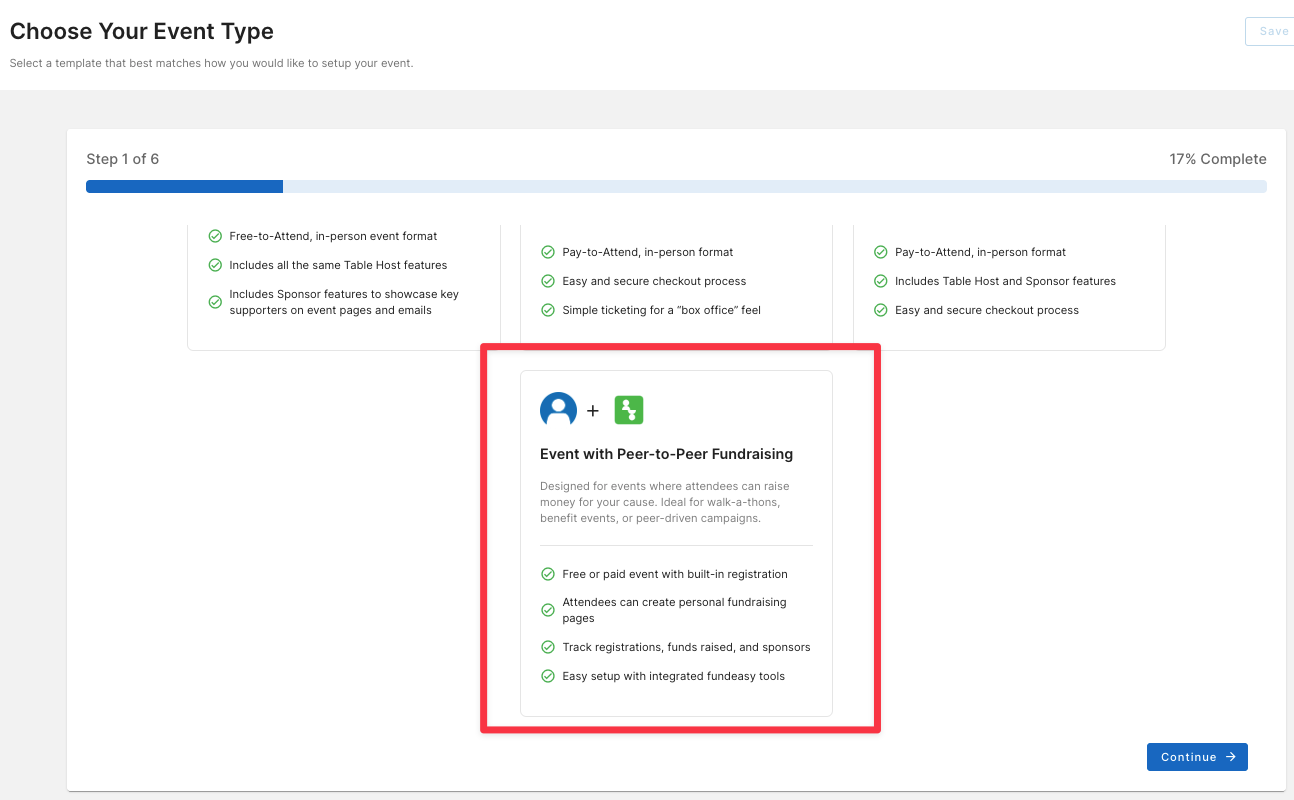
To make getting started easy, we now offer an event template with Peer-to-Peer fundraising. Registrants for Peer-to-Peer-enabled events automatically receive a personalized fundraising link they can use to create and share their own donation pages, helping your organization reach new donors through trusted personal connections and community engagement.

We also have a brand new collection of Knowledge Base articles here: https://helpcenter.fundeasy.com/collections/5725662-p2p-fundraising.

Managing Recurring Donations

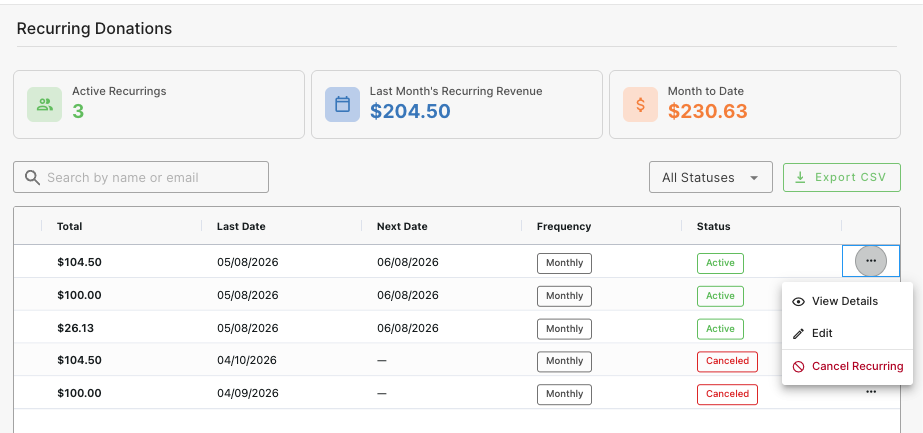
Recurring Donations just got a lot easier to manage! In addition to viewing the donations in the platform, admins can now directly edit the amount and cancel.

Miscellaneous Improvements

This release includes a variety of enhancements and quality-of-life improvements inspired directly by customer feedback.

  • Introduced discount codes!

  • In the Name Tags & Labels wizard, added the ability for event coordinators to select the print order, either by table or by last name

  • Updated payment status information so that offline payments reflect in the Reports & Exports as “paid” or “not paid”

  • Improved the affiliations field so that it arranges inputs alphabetically

  • Added custom registration types as a column in manage registrants as well as in reports and exports, improving visibility of each registration type

  • Continued improving Custom Questions:

    • Added custom questions for sponsors as a column option in the sponsors report

    • Helper text for custom questions now displays on the public pages

  • Continued improving Tables & Seating:

    • Resolved an issue where parties were displaying multiple times on the Tables & Seating workflows

    • Refined the Tables & Seating guest order so that guests show up by last name rather than by registration date

    • Refined the search bar functionality: Typing a guest name in the search bar both filters the view and highlights text in the page

We hope these enhancements make managing your events and campaigns easier and more efficient. Feedback is always appreciated, so don’t hesitate to share your thoughts with us!

April 29th, 2026

We're thrilled to announce several updates and improvements that enhance the functionality and user experience of our platform.

Key Feature: More Customizations

  • Editable Registration Page Text: Administrators can now update and tailor the wording on the registration pages, enabling a more personalized and contextually appropriate experience for attendees.

  • Editable Display Options for the Affiliation Field, Choose Your Entree Field, and Registration Request Field: Administrators can now update and tailor the wording on several key form fields, helping users craft exactly the experience that will resonate best with their attendees and their specific event type.

Bug Fixes and Improvements

  • Sponsor Updates: Corrected a scrolling issue that previously truncated sponsor details, ensuring full visibility of all actions and fields; also added functionality so that the sponsor tier descriptions now display correctly on the public pages for sponsors to refer to.

  • Sort by Last Name: Instead of having to sort by combined first/last name, users can now sort by last name including on the Guest List and the Reports & Exports dashboard, allowing for easier handling of spouses and families.

  • Email Management: Resolved an issue where previously sent emails only redisplayed partial content, inhibiting effective reviewing and replication.

  • Backend Registration Options: Facilitated admin-level access to register attendees under non-public options, broadening backend system capabilities.

Remarks

Looking ahead, we're making great strides with exciting new features, such as enhanced Peer-to-Peer functionality integrated into event templates, projected for release by end of June 2026. Stay tuned for further updates, as we're committed to continuously enhancing your experience!

April 15th, 2026

We’re excited to share that some of your most requested features are officially live and ready to use!

You can now choose hosts directly from your registration forms, making it easier than ever for guests to select their hosts during sign-up. On top of that, we’ve also released the ability to rearrange fields in the form builder—giving you more flexibility to design your forms exactly the way you want, without workarounds or limitations.

These updates were built in direct response to your feedback, and we can’t wait for you to start using them to streamline your setup and improve your workflows.

Feature Improvements

  • Host Selection by Guests: Public registration forms now enable guests to select the host who invited them—a seamless experience connecting guests to their hosts.

  • Enhanced Seating Arrangements: View and seat parties together effortlessly on the Tables & Seating dashboard. Additionally, we now support a workflow to fulfill registration requests more effectively through the new Manage Party modal (a modernized throwback to a favorite legacy feature).

  • Custom Arrangement of Fields in the Registration Form Builders: Arrange form fields freely using an intuitive drag-and-drop functionality for effortless customization.

You’ll also notice a DRAMATICALLY CLEANER dashboard when you first log in—we’ve removed duplicate sidebar options and we've introduced our very first Hosted Giving Pages, a highly requested feature aimed at facilitating multiple donation use cases:

  • General Fund Giving: An always-available page for donations.

  • Monthly Giving Programs: Encourage ongoing support monthly.

  • Time-Bound Campaigns: Effective for events such as Giving Tuesday.

  • Segmented Appeals: Tailored pages for specific goals, e.g., capital projects.

This flexible addition bridges donors' contributions beyond event-driven endeavors, providing value to both new and existing customers. Begin setting up a page today and enhance your fundraising strategies effectively!

Miscellaneous Fixes and Optimizations

  • Resolved the issue preventing sponsor options displayed in Free-to-Attend events.

  • Corrected the calculation error where guest numbers impacted table host availability.

  • Enhanced the ability to customize and manage saved reports per users' requests.

We hope these updates empower your fundraising efforts and improve the quality of interactions with your supporters. We look forward to your feedback to make FundEasy even better!

April 6th, 2026

We're thrilled to introduce significant updates to the V4 platform, focusing on account level payments capabilities as well as payment workflows within event management. This release brings a host of features to enhance your experience and streamline operations.

Pay-to-Attend Event Features

We now support all functionalities for creating and managing pay-to-attend events, including:

  • Secure Checkout Flow: Ensure guests have a seamless and robust payment experience.

  • Offline Payment Coordination: Facilitate 'Bill Me Later' options with clear instructions and tracking capabilities for offline payments (e.g., checks).

  • Event-Specific Payments Dashboards: Access comprehensive insights on ticket revenue, pending payments, and order details.

  • Refund Workflows and Cancellations: Easily grant full or partial refunds to online orders.

  • BRAND NEW Event Templates: Use the General Pay-to-Attend template for events primarily focused on paid ticket admission. Use the Pay-to-Attend Gala template if you need additional features such as Table Hosts and/or Sponsors.

Payment Integrations with Stripe

Several tools have been implemented to enhance financial transactions:

  • Integration with Stripe enables you to accept donations and payments effortlessly.

  • Account-Level Payments Dashboard provides a clear log of all financial activities in one place—this is where you can see all revenue (such as, by date) across all your events and, eventually, donation pages.

Additional Improvements

  • Custom Questions Management: Arrange and edit fields easily within your event forms.

  • Enhanced Table Layout Settings: Modify layout options post-creation for better flexibility.

  • Guest List by Order: View guest details grouped under individual orders for better organization.

Thank you for choosing FundEasy for your event management needs. Dive into these features today and elevate your event planning experience!

March 4th, 2026

We’re excited to announce a series of updates enhancing your experience with streamlined functionality and user interface improvements. Check out the following updates and Improvements!

Guest List Management:

  • Color-Coded Guest Tags: One of our most requested features is here! Thanks to the incredible number of users asking for more powerful ways to sort and categorize their guests, you can now organize your guest list with customizable color-coded tags—making it easier than ever to visually group, identify, and manage customers at a glance.

  • For a full feature description, read all the details here at https://helpcenter.fundeasy.com/en/articles/5309927

Assigning a Registrant to a Host:

  • If you need to add a registrant to a host’s group, we now offer a way to do that! Simply click on the dash in the host column and select the host you want this guest to be associated with. Easy peasy!

  • Note: For architectural reasons, we do not currently support the option to transfer from one host’s group to another. However, if someone registered to the wrong host, you could always cancel the registration and then reregister the person, adding them to the correct host at that time.
Improved Registration Form Builder Options (Address as a Preset Field):

  • Standard Address Field Preset: Another highly requested enhancement is here! We’re excited to introduce this customer-driven improvement, delivering a standardized address field preset that streamlines data entry, improves consistency, and makes managing guest information faster and easier than ever. Now form builders come with a preset address field as a default feature, eliminating the need to create custom question setups for this basic constituent information. This reduces repetitive configurations and ensures consistency across reporting.

Seating Assignment Enhancements:

  • Conflicts when Assigning Guests: Newly introduced modals during seating assignments now handle conflicts where guests have already been assigned to a different table.
    • If a guest already has an assigned seat, workflows provide options to retain their current arrangement or consolidate the group at the new table.

  • For insufficient seating, admins can select group members to accommodate available seats while respecting the group's integrity.

Other improvements:

  • Navigation Fix on the Event Dashboard: We have now resolved an issue where the "Edit Event Details" link incorrectly redirected users, ensuring smooth access to event modifications.

  • Visual Enhancement with Event Template Icons: We also updated icons for event templates, so that there is now clear visual identification of the associated processes and themes.

We hope these enhancements improve your workflow and operational efficiency. We value your feedback and look forward to your continued insights.

February 10th, 2026

We’re excited to share some new updates to FundEasy that make managing your events even smoother and more intuitive.

Sponsor Integration for Events

You can now add sponsors to Sponsored Free-to-Attend and Sponsored Table Host events. This makes it easy to:

  • Showcase sponsors across web and email templates for consistent brand visibility

  • View and manage sponsor submissions in a clean, easy-to-use dashboard

  • Review and approve sponsor submissions before they’re published

  • Easily send sponsors a customized form to collect important details such as websites or logos

Intuitive Tables & Seating Dashboard

We’ve launched a redesigned Tables & Seating dashboard that simplifies arranging guest seating and makes the whole process more intuitive.

Tables & Seating now combines the Table Chart layout (visual room reference) with card-based seating assignments (primary seating workflow). Seating is managed via drag-and-drop cards to bring back the V3 familiarity of Manage Registrants, not directly on the canvas.

Key improvements include the ability to

  • See assigned vs. available seats in real time

  • Overbook tables if needed

  • Table layout editing is still available via Edit Table Chart to add/remove table and change the floorplan

Registration Request Management

Tracking registration requests is now easier than ever with a new Kanban-style dashboard. Requests can be managed across three statuses:

  • Open

  • Fulfilled

  • Rejected

Requests can be submitted through guest registrations or added manually by admins. Admins can also add notes, process requests, and see indicators directly within the Tables & Seating interface.

We hope these updates make your experience with FundEasy even better. Thanks for being part of our community!